
Track your time.
Without the fuss.
StillOnIt sits quietly in your menu bar, logging every minute. Switch tasks in seconds. See where your week actually went.
No account. No subscription. Just download and go.
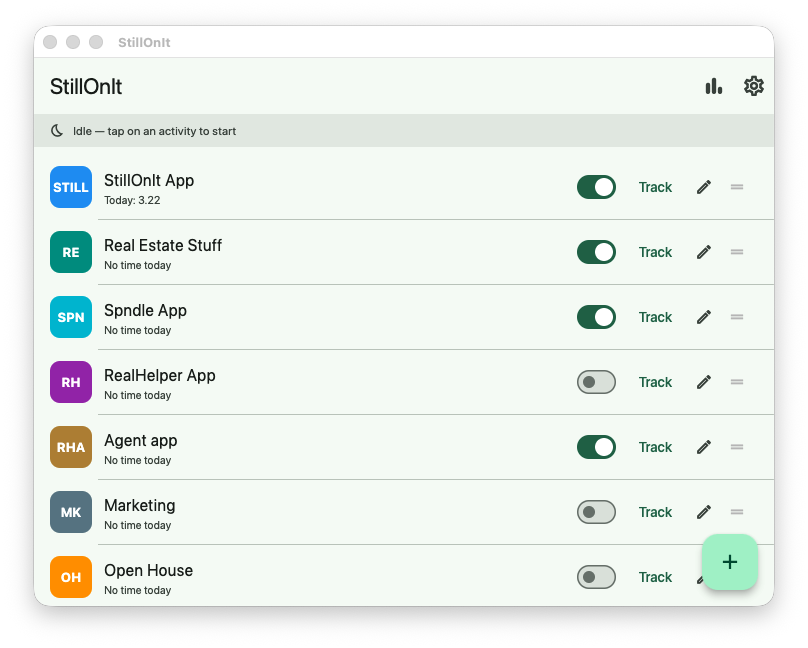
StillOnIt sits quietly in your menu bar, logging every minute. Switch tasks in seconds. See where your week actually went.
No account. No subscription. Just download and go.
Jumping into a time-tracking tool every time you switch tasks? That shouldn't be a task in itself! StillOnIt stays out of your way — a tiny popup, a click, and you're on the next thing. At the end of the week, your timesheet basically fills itself.
Built for people who have to track time — and designed to be the least annoying part of that.
A lightweight popup displays in the corner of your screen, at intervals of your choosing. Still on the same task? Just ignore it. To switch, tap on the new activity.
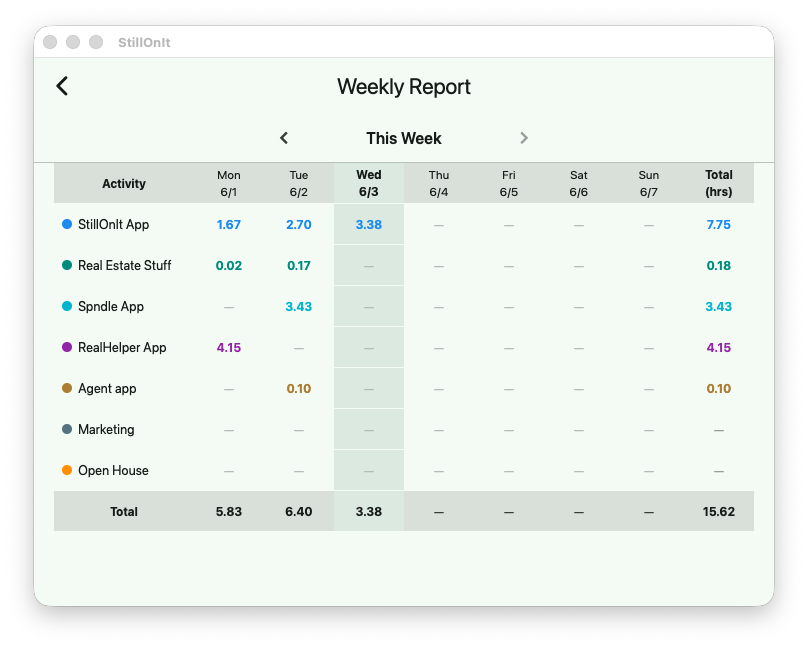
Open the weekly view and see each activity's hours by day — laid out so you can easily enter them into Harvest, Toggl, or whatever you have to use.
Name each activity, give it a color, set a short abbreviation that shows in the popup. Add as many as you need. Hide the ones you're not using this week.
StillOnIt runs quietly in the system tray. It's there when you need it and invisible when you don't. Minimizes to tray, never gets in the way.
One tap marks a break so your break time doesn't get credited to your last project. Your data stays clean without any extra steps.
Your time data lives on your machine. No login, no subscription, no syncing to some company's server. Just a simple SQLite file that's yours.
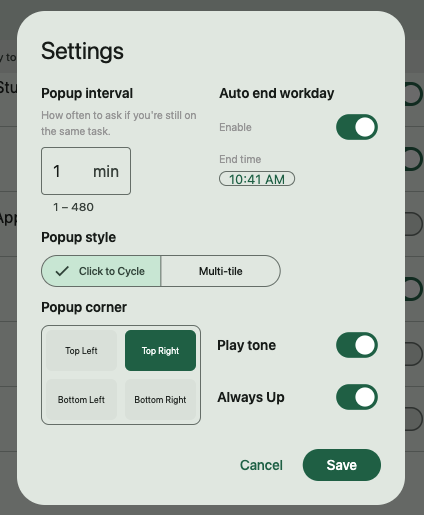
Choose your popup style — click to cycle or show all tasks at once. Set how often the popup appears, pick your screen corner, enable an automatic end-of-workday timer, and more. All in one simple settings panel.
That's the goal — StillOnIt should be so quick to use that it becomes automatic.
Open the main window and add the things you work on — client projects, admin, deep work, meetings. Give each one a name and a color.
Choose the interface you like best - either click to cycle through your tasks, and stop when you get to the one you're on, or show all tasks as buttons and select one. Takes a couple of seconds.
At the end of the week, open the report. Every activity, every day, every minute — ready to copy into your timesheet.
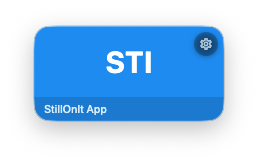
Click to cycle
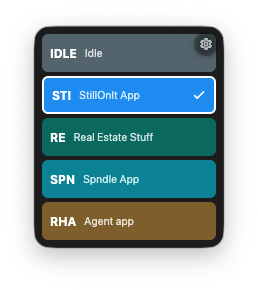
Multi-tile
Whether your company uses Harvest, Toggl, Clockify, or a Google Sheet some manager built in 2019 — the weekly report gives you the raw numbers, day by day, so you can fill it out in minutes instead of guessing.
StillOnIt is useful any time you care where your hours are going.
Your company requires a timesheet. Stop filling it out from memory on Friday afternoon.
Track billable hours across clients without an expensive subscription to a tool built for twenty people.
Curious where your time actually goes? StillOnIt shows you, without you having to think about it.
Deep work sessions, meetings, code review, admin — track them all without breaking your flow.
StillOnIt is free. If it saves you time or headaches, a tip means a lot — and keeps development going.
☕ Buy Me a CoffeeNo pressure, no account required, no strings attached.
Download for Mac or Windows and start tracking in minutes. No account, no subscription.